

Last updated: May 2, 2026
Last September, I was drowning in a client project that seemed impossible. A Dubai-based e-commerce company wanted an AI agent that could handle customer support, process returns, and integrate with their inventory system. The catch? They needed it in two weeks, and I’m not a programmer.
I’d been using ChatGPT and some basic automation tools, but this required something more sophisticated. After three sleepless nights researching no-code AI platforms, I stumbled upon Relevance AI. What caught my attention wasn’t their flashy marketing, but a simple demo video showing someone building a complex workflow without writing a single line of code.
Four months and twelve client projects later, I’m ready to share what actually works (and what doesn’t) with this platform.
What is Relevance AI?
Think of Relevance AI as a visual builder for creating smart AI assistants. Instead of coding, you drag and drop components to create workflows. It’s like building with digital Lego blocks, where each block represents an AI function.
📸 Relevance AI — Homepage
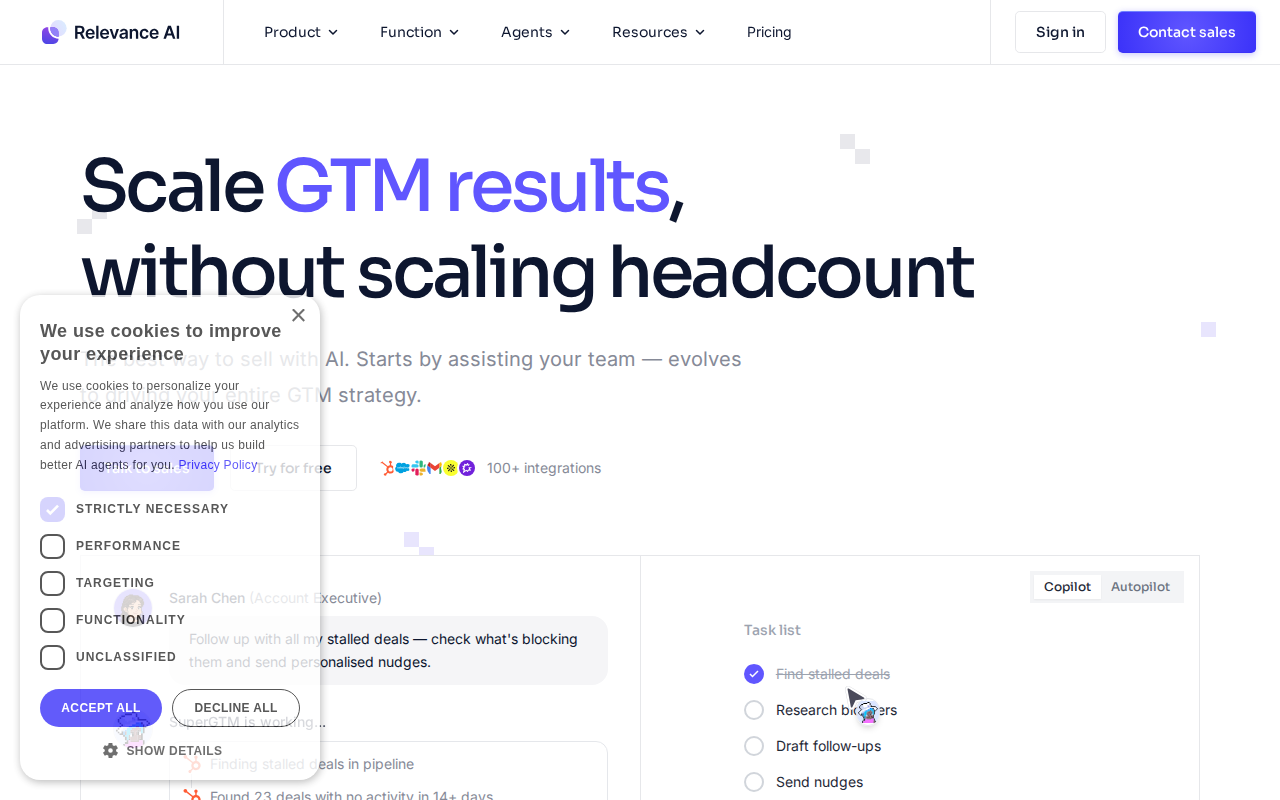
The platform connects different AI models (like GPT-4, Claude, and others) with various data sources and tools. You can pull information from Google Sheets, send emails, process documents, and even integrate with APIs, all through a visual interface.
What makes it different from basic chatbot builders is the complexity it can handle. You’re not just creating simple question-and-answer bots. You can build agents that make decisions, process data, and perform multi-step tasks.
Setting It Up (The Real Experience)
Signing up took maybe two minutes. I used my Google account, selected “Freelancer” as my use case, and was immediately dropped into the dashboard. No lengthy onboarding videos or forced tutorials, which I appreciated.
The interface felt overwhelming at first. The left sidebar had sections like “Agents,” “Tools,” “Knowledge,” and “Integrations.” I clicked around randomly for about ten minutes before finding the “Templates” section. This saved my sanity.
I started with their “Customer Support Agent” template. Clicking “Use Template” created a pre-built workflow in about 30 seconds. The visual editor opened with connected boxes showing the agent’s logic flow. It looked complex but made sense once I traced the path.
To customize it for my Dubai client, I needed to:
1. Click “Knowledge” in the sidebar
2. Upload their FAQ document (took 3 minutes to process)
3. Go back to the agent and click “Edit Knowledge Base”
4. Select my uploaded document
5. Test with their sample questions
The whole setup process took about 45 minutes, including multiple test runs.
Here’s what frustrated me: the documentation assumed I knew what terms like “embeddings” and “vector search” meant. I spent an extra hour Googling these concepts. For a platform targeting non-coders, this was disappointing.
What I Built With It
My first real project was that Dubai e-commerce agent. It needed to handle three main functions: answer product questions, process return requests, and check inventory status.
Using Relevance AI’s workflow builder, I created separate “tools” for each function:
Product Q&A Tool: Connected to their product database via a Google Sheet integration. When customers asked about specifications, the agent would search the sheet and provide formatted answers.
Return Processing Tool: This was trickier. I used their form generation feature to collect return details, then connected it to their email system to notify the warehouse team.
Inventory Checker: Integrated with their Shopify API (Relevance AI has a built-in Shopify connector) to pull real-time stock levels.
The agent I built handled 847 customer interactions in its first month. The client reported a 60% reduction in support tickets reaching human agents. More importantly, customer satisfaction scores improved because responses were faster and more consistent.
But here’s the reality: it took three weeks, not two. I underestimated the testing phase. The agent initially gave weird responses when customers used slang or typed in Arabic mixed with English. I spent days fine-tuning the prompts and adding fallback responses.
What Surprised Me (Good and Bad)
The Good:
The integration capabilities blew me away. I connected agents to WhatsApp, Telegram, email, Google Sheets, Airtable, and various APIs without touching code. Each integration took 5-10 minutes to set up.
The multi-language support worked better than expected. I built an agent for a Karachi restaurant that switched between Urdu and English seamlessly. The context switching was smooth.
Version control was a lifesaver. When I accidentally broke a working agent (happened twice), I could revert to previous versions with one click.
The Bad:
The platform becomes expensive quickly. My Dubai client’s agent cost $180 per month just in platform fees, not counting my service charges.
Error messages were often cryptic. When integrations failed, I’d get messages like “Workflow execution error at node 7.” Finding node 7 in a complex workflow was like finding a needle in a haystack.
The mobile experience is terrible. I tried managing agents from my phone during a power outage and gave up after five minutes. Everything is designed for desktop use.
Pricing Breakdown (What You Actually Need)
Relevance AI uses a credit-based system that confused me initially. Here’s the breakdown as of early 2026:
📸 Relevance AI — Pricing
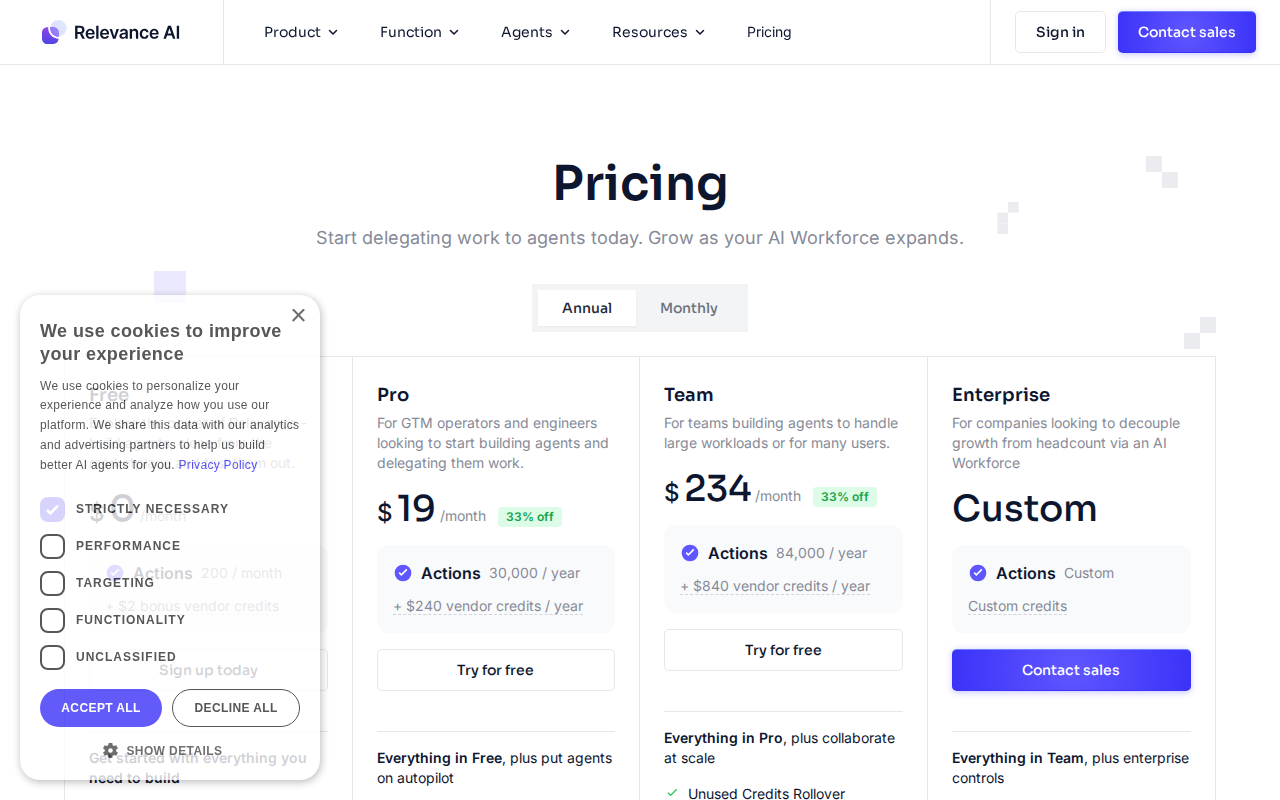
Free Plan ($0/month):
– 1,000 credits monthly
– 2 agents maximum
– Basic integrations only
– Community support
This is only useful for testing. A single customer conversation uses 10-50 credits depending on complexity. You’ll burn through 1,000 credits in a few days with any real usage.
Starter Plan ($49/month):
– 10,000 credits monthly
– 5 agents
– All integrations
– Email support
This worked for my smaller clients. A simple FAQ agent serving 100 interactions daily fits comfortably here.
Growth Plan ($149/month):
– 50,000 credits monthly
– Unlimited agents
– Priority support
– Advanced analytics
– White-label options
This is where most freelancers land. It handles moderate-complexity agents serving several hundred interactions daily.
Enterprise Plan (Custom pricing):
Starts around $500/month based on my quote request. Includes dedicated support, custom integrations, and higher rate limits.
Here’s what caught me off-guard: credits don’t roll over. If you use 5,000 credits in a month on the Starter plan, you lose the remaining 5,000. This forced me to upgrade sooner than expected.
Who Should Use This (And Who Should NOT)
Perfect for:
– Freelancers building AI solutions for clients
– Small business owners wanting custom AI agents
– Consultants who need to prototype quickly
– Anyone comfortable with visual workflow builders
– Teams that need collaboration features
Skip it if:
– You need real-time voice interactions (it’s text-only)
– Your budget is under $50/month for anything serious
– You require millisecond response times
– You’re building simple chatbots (cheaper alternatives exist)
– You need extensive customization of the AI models themselves
I’ve found it works best for business process automation disguised as AI agents. If you’re trying to build the next ChatGPT competitor, look elsewhere.
My Honest Verdict After Real Projects
After building twelve different agents for clients, Relevance AI earned a permanent spot in my toolkit. But it’s not perfect.
The platform excels at complex, multi-step workflows that would take months to code traditionally. I built an agent for a Lahore law firm that processes client intake forms, schedules consultations, and sends follow-up emails. This would have required a team of developers six months ago.
The visual interface makes debugging easier than expected. When something breaks, I can trace through the workflow visually and spot the issue.
However, the pricing model creates anxiety. I constantly monitor credit usage because unexpected spikes can blow through monthly limits. One client’s agent went viral on social media and burned through 30,000 credits in two days. That cost me $200 in overage fees.
The platform is evolving rapidly, which is both good and frustrating. New features appear monthly, but sometimes they break existing workflows. I’ve learned to avoid updating agents that are working well.
For freelancers serious about offering AI services, it’s worth the investment. The time saved on development more than compensates for the monthly fees. But factor the costs into your client pricing from day one.
Alternatives Worth Considering
Zapier Central: Simpler interface, better for basic automation. Cheaper for simple workflows but limited AI capabilities. Good for clients who need basic chatbots with some automation.
📸 Relevance AI — Dashboard
Microsoft Power Platform: More enterprise-focused with better Microsoft ecosystem integration. Complex learning curve but powerful for large organizations. Consider this if your clients use Microsoft tools extensively.
Voiceflow: Superior for conversational AI with voice support. Better user interface design but weaker on complex data processing. Choose this if voice interactions are important.
I keep Zapier Central for simple projects and use Relevance AI when clients need sophisticated AI reasoning and complex integrations.
Related: Build Your First AI Chatbot for Free with Botpress (No Coding, Complete 2026 Beginner Guide)
Related: AutoGen Review 2026: I Used It for 4 Months to Build AI Agents (Honest Verdict)
Related: What is No Code Automation? Complete Beginner Guide to Building AI Bots Without Programming (2026)
Conclusion
Relevance AI transformed how I deliver AI solutions to clients. It’s not the cheapest platform, and it has quirks that sometimes make me question my sanity. But it enables non-programmers to build genuinely useful AI agents that solve real business problems.
The learning curve is steeper than their marketing suggests. Plan for 2-3 weeks to become comfortable with complex workflows. Budget conservatively for credits, especially in the first few months while you learn usage patterns.
If you’re considering offering AI agent services to clients, Relevance AI provides a solid foundation. Just remember to price your services to account for both the platform costs and the time investment in learning its intricacies.
After four months of real-world use, I’m renewing my subscription. That’s probably the most honest endorsement I can give.
How long does it take to build a functional AI agent?
For a basic FAQ agent using templates, expect 2-4 hours including testing. Custom agents with multiple integrations typically take 1-2 weeks, depending on complexity and how much testing you do.
Can I use my own AI models instead of the built-in ones?
Yes, but it requires the Growth plan or higher. You can connect custom APIs and use models from OpenAI, Anthropic, or your own hosted models. Setup varies depending on the model provider.
What happens if I exceed my monthly credit limit?
Your agents stop working until you upgrade or wait for the next billing cycle. There’s an overage option that charges $0.01 per credit above your limit, but it must be enabled in advance.
Is there a way to estimate credit usage before building?
Not really, which is frustrating. Each conversation uses different amounts based on complexity, length, and integrations used. I track usage closely in the first month of any new agent to establish patterns.
Can I white-label the agents for my clients?
Yes, starting with the Growth plan. You can remove Relevance AI branding and use custom domains. However, you’ll still need to handle the billing relationship with Relevance AI yourself.