
Last updated: April 24, 2026
My Journey from Code Confusion to AI Agent Success

Photo by Pro Affaires via Unsplash
Last March, I was stuck. A client from Dubai wanted an AI agent that could take customer inquiries from their website, check inventory in their system, and send personalized responses via WhatsApp. The budget was good, but there was one problem – they wanted it done without hiring a full development team.
I’d been building simple chatbots using basic tools, but this needed something more powerful. That’s when my friend Usman mentioned n8n. “It’s like connecting LEGO blocks,” he said. “No coding required.”
Eight months later, I’ve built over 30 AI agents using n8n for clients across Pakistan, UAE, and the UK. Some projects were massive successes. Others taught me expensive lessons about what this tool can and cannot do.
What Exactly Is n8n?
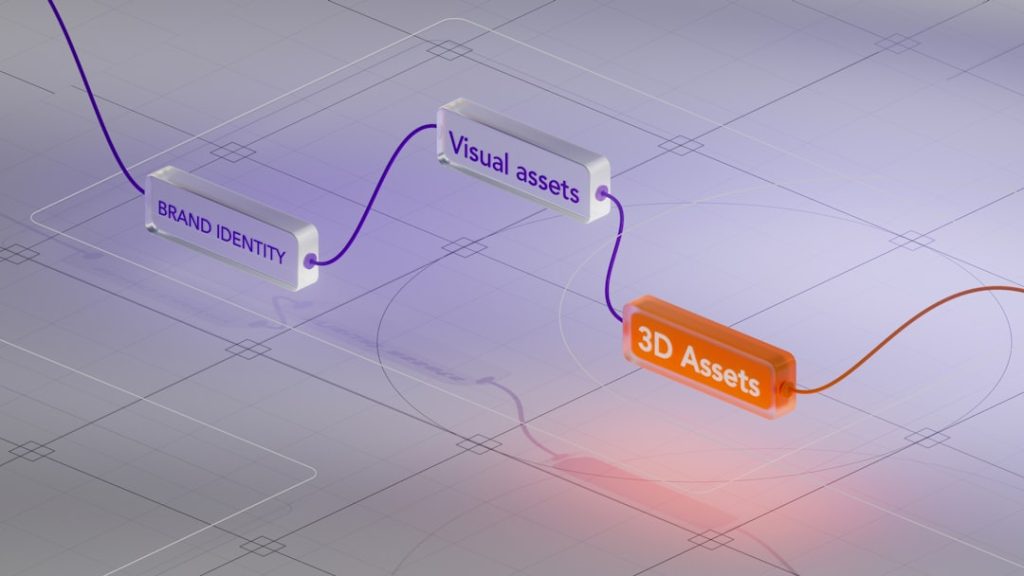
Think of n8n as a digital assembly line for your AI agents. Instead of writing code, you drag and drop “nodes” (think of them as workers) that each do one specific job. One node might read emails, another talks to ChatGPT, and a third one sends a Slack message.
You connect these nodes with lines, creating a workflow that runs automatically. When someone sends an email, it triggers your workflow. The email gets processed by AI, a response gets generated, and it’s sent back – all without you lifting a finger.
The “AI agent” part comes from connecting these workflows to language models like GPT-4, Claude, or even local AI models. Your agent can understand natural language, make decisions, and take actions across multiple platforms.
Setting Up n8n (The Real Experience)
I’ll be honest – the setup isn’t as “beginner-friendly” as they claim. Here’s exactly what I did:
Cloud Version (Easiest Start):
I signed up at n8n.cloud and had a basic workflow running in about 30 minutes. You click “New Workflow,” drag a “Webhook” node (this receives data from outside), connect it to an “OpenAI” node, then to a “HTTP Request” node to send responses back.
The interface looks clean, but I got confused by terms like “expressions” and “JSON.” There’s a learning curve even for the “no-code” version.
Self-Hosted Version (For Serious Projects):
After two months, I switched to self-hosting because client data needed to stay private. This required renting a VPS server (I use DigitalOcean), installing Docker, and running command-line scripts.
It took me a full weekend to get everything working properly. The documentation assumes you know basics about servers and databases. If you’re truly non-technical, stick with the cloud version initially.
What I Actually Built (Real Client Project)
Let me share details from my most successful project – an AI sales agent for a Karachi-based textile company.
The Challenge:
They received 200+ WhatsApp inquiries daily about fabric samples, pricing, and availability. Most messages came after business hours, and potential customers would lose interest waiting for responses.
The Solution I Built:
1. WhatsApp Integration: Used n8n’s WhatsApp Business API node to receive messages
2. AI Processing: Connected to GPT-4 with a custom prompt containing their entire product catalog
3. Database Lookup: Created nodes that checked real inventory levels in their existing system
4. Response Generation: AI composed personalized responses with pricing and availability
5. Lead Management: Automatically added qualified leads to their CRM
The workflow had 12 connected nodes. It looked complex, but each node did something simple.
Real Results After 3 Months:
– 87% of inquiries got instant responses (even at midnight)
– 34% increase in qualified leads
– Saved them ₹80,000 monthly in customer service costs
– Response time dropped from 4-6 hours to under 30 seconds
The Gotchas I Discovered:
The AI sometimes hallucinated product details not in the database. I had to add multiple verification nodes and fallback responses. What seemed like a 2-day project took almost 2 weeks to make bulletproof.
What Genuinely Surprised Me
The Good Surprises:
Error Handling is Excellent: When something breaks (and it will), n8n shows exactly where and why. I can see which node failed, what data it received, and what went wrong. This saved hours of debugging.
Memory Between Conversations: Unlike simple chatbots, n8n agents can remember previous interactions. My customer service agent remembers if someone asked about pricing last week and references it naturally.
Multi-Platform Magic: One workflow can simultaneously post to Instagram, update Google Sheets, send emails, and trigger Slack notifications. The integrations are genuinely impressive.
The Frustrating Surprises:
“No-Code” is Misleading: You’ll need to understand JSON, API concepts, and basic programming logic. I spent weeks learning expressions like {{$json["customer_name"]}} to manipulate data between nodes.
Performance Hits: Complex workflows with 15+ nodes can take 10-30 seconds to complete. For real-time chat applications, this feels sluggish. I’ve had to optimize heavily.
Integration Gaps: Despite 400+ integrations, some popular Pakistani services aren’t supported. I had to use workarounds involving Zapier or custom webhooks, adding complexity and cost.
Pricing Breakdown (What You Actually Need)
Cloud Starter ($20/month):
– 2,500 workflow executions
– Good for testing and simple personal projects
– Reality check: One busy AI agent can burn through this in days
Cloud Pro ($50/month):
– 10,000 executions
– This is what most freelancers need
– I hit the limit with 3-4 active client projects
Cloud Enterprise ($500/month):
– Unlimited executions
– Advanced features like LDAP authentication
– Only needed for large companies or agencies
Self-Hosted (Free + Server Costs):
– Unlimited everything
– Server costs me $25/month on DigitalOcean
– Best value if you can handle the technical setup
Hidden Costs Nobody Mentions:
– OpenAI API calls ($50-200/month depending on usage)
– Third-party service subscriptions (WhatsApp Business API, etc.)
– Your time learning the platform (budget 40-60 hours initially)
Who Should Use n8n (And Who Shouldn’t)
Perfect For:
Freelancers and Agencies: If you’re building AI solutions for clients, n8n’s flexibility is unmatched. You can create custom solutions without a development team.
Small Business Owners with Technical Curiosity: If you enjoy learning new tools and have basic computer skills, n8n can automate significant parts of your business.
Companies with Repetitive Workflows: Any business doing the same digital tasks repeatedly (data entry, customer responses, report generation) will benefit.
Absolutely Not For:
Complete Non-Technical Users: Despite the “no-code” marketing, you need logical thinking and willingness to learn technical concepts. If Excel formulas intimidate you, n8n will overwhelm you.
High-Speed Applications: If you need sub-second response times, n8n’s workflow processing adds too much latency.
Simple Chatbot Needs: If you just want a basic FAQ bot, tools like Chatfuel or ManyChat are easier and cheaper.
My Honest Verdict After 8 Months
n8n is the Swiss Army knife of AI automation tools. It’s incredibly powerful, genuinely flexible, and can solve complex business problems that simpler tools cannot handle.
But it’s not the beginner-friendly solution they market it as. I’ve seen non-technical users struggle for months to build what takes me days now. The learning curve is real.
If you’re willing to invest 1-2 months learning the platform, n8n can become your most valuable business tool. I now build AI solutions that would have required a full development team just two years ago.
The biggest advantage? Your agents can evolve. When clients ask for new features, I add nodes rather than rebuilding from scratch. This flexibility has helped me retain clients and increase project values significantly.
My Rating: 4.2/5
Points deducted for misleading “no-code” marketing and the steep initial learning curve. Points added for incredible flexibility and excellent community support.
Alternatives Worth Considering
Zapier (Easier but Limited):
Better for simple automations, weaker for complex AI agents. Pricing gets expensive quickly with high usage. Good starting point if n8n feels overwhelming.
Microsoft Power Automate (Enterprise-Focused):
Excellent if you’re already in the Microsoft ecosystem. More expensive but includes enterprise features out of the box. Better support for Office 365 integrations.
Make (formerly Integromat):
Similar complexity to n8n but with better visual workflow design. Pricing is more predictable. Fewer AI-specific features but strong for general automation.
Related: Flowise Review 2026: I Used It for 4 Months to Build AI Agents (Honest Verdict)
Related: How I Built My First AI Agent in One Hour (Complete Beginner’s Guide for 2026)
The Bottom Line
n8n transformed my freelancing business, but it wasn’t easy. I went from building basic chatbots to creating sophisticated AI agents that handle complex business processes. The tool is genuinely powerful, but success requires patience, learning, and realistic expectations.
If you’re serious about building AI agents and willing to climb the learning curve, n8n offers capabilities that justify the effort. Just don’t expect to master it in a weekend.
For my Pakistani freelancer friends: This tool can genuinely differentiate your services in the global market. The investment in learning pays off, but budget time and money for proper education.
How long does it take to learn n8n properly?
Budget 40-60 hours for basic proficiency. I spent about 3 months before feeling confident taking on complex client projects. The key is starting with simple workflows and gradually adding complexity.
Can I really build AI agents without coding knowledge?
Yes and no. You won’t write traditional code, but you’ll need to understand logical concepts, data structures, and API basics. If you can handle Excel formulas and understand cause-and-effect relationships, you can learn n8n.
What’s the biggest mistake beginners make with n8n?
Trying to build complex workflows immediately. I wasted weeks on overly ambitious first projects. Start with simple automations like “send email when form is submitted” before attempting full AI agents.
Is the self-hosted version really worth the technical hassle?
For serious use, absolutely. I save about $300/month compared to cloud pricing, and I have complete control over data privacy. But only attempt this if you’re comfortable with basic server management or have technical support.
How do n8n costs compare to hiring developers?
For my textile client project, hiring developers would have cost ₹200,000-300,000. My n8n solution cost about ₹50,000 in time and tools, plus I can modify it instantly when requirements change. The ROI is significant for suitable projects.