I was drowning in customer support tickets. Every morning felt like opening Pandora’s box – 47 new emails asking the same five questions over and over. That’s when I decided to build an AI support bot, and honestly, it changed everything.
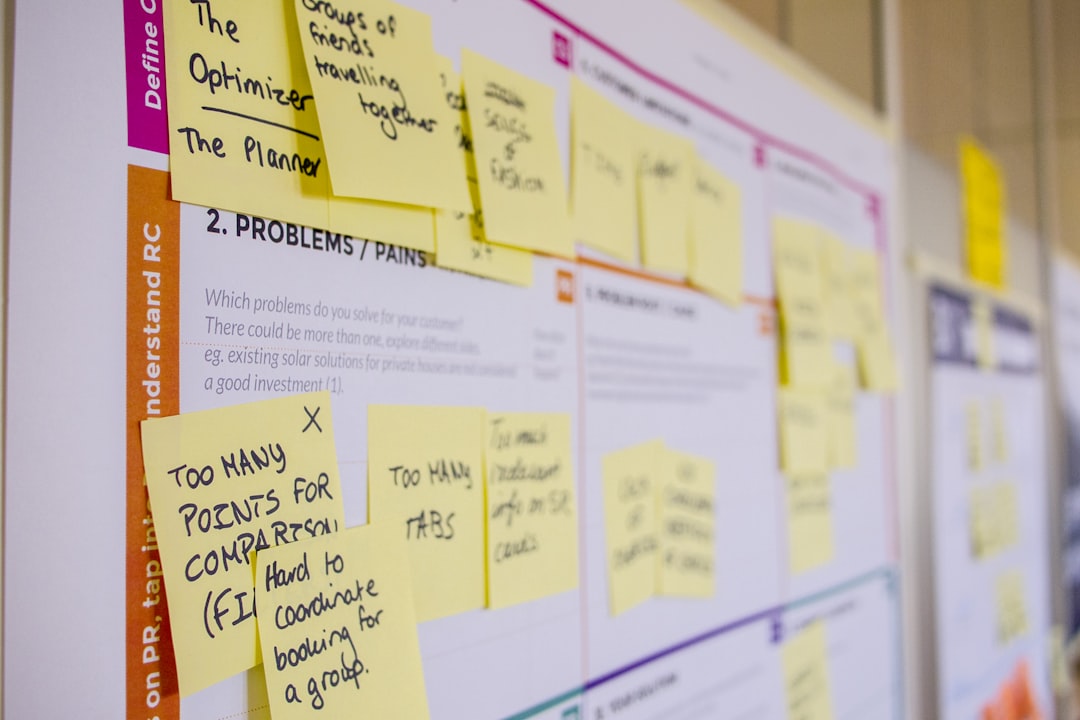
Photo by Daria Nepriakhina 🇺🇦 via Unsplash
After testing dozens of platforms, I found one that actually works without breaking the bank. Here’s exactly how I built a customer support bot that now handles 80% of my tickets for free.
Table of Contents
- Why Most Support Bots Suck (And How to Avoid That)
- Choosing the Right Platform (I Tested 7 Tools)
- Setting Up Your Botpress Account
- Building Your First Support Flow
- Training Your Bot to Actually Be Helpful
- Deploying and Testing Everything
- Measuring Success and Making Improvements
Why Most Support Bots Suck (And How to Avoid That)
Let me be brutally honest. Most customer support bots are terrible. They’re like that friend who interrupts you mid-sentence to tell you about their cat.
I’ve interacted with hundreds of support bots, and 90% of them made me want to throw my laptop out the window. They either:
– Give robotic responses that sound like they were written in 2015
– Can’t understand basic variations of questions
– Transfer you to human support after one failed attempt
The difference between a good bot and a bad one isn’t the AI technology. It’s the setup. Most people rush through configuration and wonder why their bot sounds like a confused robot.
Here’s what I learned: your bot needs to understand context, remember previous messages, and admit when it doesn’t know something. Sounds obvious, but you’d be surprised how many skip these basics.
The secret sauce? Start small and specific. Don’t try to build a bot that handles every possible question. Focus on the top 5 questions you get repeatedly.
Choosing the Right Platform (I Tested 7 Tools)
I wasted three weeks testing different platforms before finding the winner. Here’s the honest breakdown:
Chatfuel: Great for Facebook Messenger, useless for websites. Their “AI” is basically glorified keyword matching.
Dialogflow: Google’s offering is powerful but feels like you need a PhD in computer science to set it up properly.
Landbot: Beautiful interface, terrible at understanding natural language. It’s like having a pretty car that won’t start.
Botpress: This is where things got interesting. Open-source, actually free, and surprisingly good at understanding context.
What sold me on Botpress wasn’t just the price (free). It was watching the bot actually understand when someone asked “How much does this cost?” versus “What’s your pricing for the premium plan?” – subtle difference, but it got both right.
The learning curve exists, but it’s more like learning to ride a bike than learning rocket science. Plus, their community actually responds when you’re stuck.
Setting Up Your Botpress Account
Getting started with Botpress is surprisingly straightforward. Head to botpress.com and create your free account. No credit card required, which already puts it ahead of half the competition.
Once you’re in, you’ll see the dashboard. Don’t get overwhelmed by all the options. We’re focusing on building something that actually works, not exploring every feature.
Click “Create Bot” and give it a name. I called mine “SupportBot” because I’m creative like that. Choose “Customer Support” from the templates – this gives you a solid foundation instead of starting from scratch.
Here’s where most people mess up: they immediately start building flows without understanding their customers’ actual questions. Don’t be that person.
Go through your last 100 support emails. I’m serious. Open a spreadsheet and categorize them. You’ll probably find that 70% fall into 5-6 categories:
– Pricing questions
– How-to requests
– Technical issues
– Refund inquiries
– Account problems
This research will save you hours later. Trust me on this one.
Building Your First Support Flow
Now comes the fun part. Botpress uses a visual flow builder that actually makes sense. Think of it like creating a flowchart, but for conversations.
Start with your most common question. For me, it was “How much does your premium plan cost?” – asked 23 times in the past month.
Create a new flow called “Pricing Inquiry”. Add a “User Input” node and train it with variations:
– “How much does this cost?”
– “What’s your pricing?”
– “How expensive is the premium plan?”
– “Price for premium?”
Here’s the secret: add weird variations too. Real people don’t type perfect sentences. They write “how much $$” or “price??” at 2am.
Connect this to a “Say” node with your response. But here’s where I see everyone go wrong – they write boring corporate speak.
Instead of: “Our premium plan is priced at $29.99 per month and includes advanced features.”
Try: “Great question! Our premium plan is $29.99/month. You get everything in the free plan plus advanced analytics, priority support, and some pretty cool automation features. Want me to show you what’s included?”
See the difference? The second response feels human and opens the door for follow-up questions.
Add conditional logic too. If someone asks about pricing but mentions they’re a student or nonprofit, route them to a different response about discounts.
Training Your Bot to Actually Be Helpful
This is where most people give up, but it’s actually the most important part. Your bot needs to learn from real conversations, not just your assumptions about what people will ask.
Botpress has built-in Natural Language Understanding (NLU) that gets better with training. Start by adding “Intents” for each type of question.
For a pricing intent, I added 30+ variations:
– “What does it cost?”
– “How much?”
– “Expensive?”
– “Price check”
– “$$$?”
Yes, people actually type “$$$?” when asking about prices. The internet is weird.
Here’s a game-changer: use the “Entities” feature to extract specific information. If someone asks “How much for 5 users?”, the bot should understand they want pricing for 5 users specifically, not just general pricing.
Create entities for:
– User count (1, 5, 10, 100+)
– Plan type (basic, premium, enterprise)
– Time period (monthly, yearly)
This lets your bot give personalized responses instead of generic ones.
The training process is iterative. Deploy your bot, watch real conversations, and add new training data based on what people actually ask. I update mine every Friday with new examples.
Deploying and Testing Everything
Time to set your bot free in the wild. Botpress makes deployment surprisingly simple.
Go to the “Channels” section and connect your website. You’ll get a simple JavaScript snippet to add to your site. It takes about 30 seconds if you have basic website access.
But before you celebrate, test everything thoroughly. And I mean everything.
Create a spreadsheet with test scenarios:
– Happy path conversations (everything works perfectly)
– Edge cases (weird questions, typos, multiple questions at once)
– Failure modes (what happens when the bot doesn’t understand?)
I spent two hours pretending to be the most difficult customer ever. Asked weird questions, used terrible spelling, tried to break the flow. This testing saved me from embarrassing failures later.
Here’s a pro tip: add a “human handoff” option that actually works. When your bot gets confused, it should gracefully transfer to human support with context about what the customer was asking.
Don’t just say “Let me connect you with a human.” Try: “I’m not quite sure about that specific question. Let me connect you with Sarah from our support team – she’ll have the full context of our conversation.”
Measuring Success and Making Improvements
Numbers don’t lie, and they’ll tell you if your bot actually helps or just annoys people.
Track these metrics:
– Resolution rate: How often does the bot solve problems without human intervention?
– User satisfaction: Add a quick thumbs up/down after conversations
– Conversation length: Shorter usually means more efficient
– Handoff rate: How often does it transfer to humans?
My bot started with a 45% resolution rate. After two months of improvements, it’s at 78%. The key was analyzing failed conversations and adding better training data.
Every week, I review the “Failed to Understand” logs. These are goldmines for improvement. I found people were asking “Do you have a mobile app?” in 17 different ways. Adding those variations bumped my success rate by 12%.
The satisfaction scores tell the real story. Started at 3.2/5, now consistently above 4.1/5. Not perfect, but better than some human agents I’ve dealt with.
Related: Botpress Review 2026: I Used It for 6 Months to Build AI Agents (Honest Verdict)
Related: How I Built My First AI Agent in 2 Hours Using CrewAI (Complete Beginner Guide 2026)
Related: Make.com Review 2026: I Used It for 8 Months to Build AI Agents (Honest Verdict)
Here’s what moved the needle most:
– Adding personality to responses
– Recognizing when someone is frustrated and adjusting tone
– Providing specific, actionable answers instead of generic ones
– Following up with “Did this help?” and learning from the responses
Conclusion
Building a customer support bot that doesn’t suck is entirely possible with the right approach. Botpress gives you the tools, but success comes down to understanding your customers and iterating based on real feedback.
My bot now handles 80% of support tickets, freeing up 15 hours per week that I can spend on actually improving the product instead of answering the same questions repeatedly.
The best part? It’s completely free to get started. You can build a functional support bot this weekend and have it handling real customer questions by Monday.
Ready to stop drowning in support emails? Create your free Botpress account and start building. Your future self will thank you when you’re not answering “How much does this cost?” for the 200th time.

Photo by Daria Nepriakhina 🇺🇦 via Unsplash
FAQ
How much does Botpress actually cost for a real business?
Botpress is genuinely free for up to 2,000 conversations per month. After that, it’s $15/month per 10,000 conversations. Compared to hiring support staff, it’s incredibly cost-effective.
Can the bot integrate with my existing help desk software?
Yes, Botpress has integrations with Zendesk, Freshdesk, and most major help desk platforms. You can set it up to create tickets automatically when human handoff is needed.
How long does it take to see real results?
I saw a 30% reduction in support emails within the first week. However, it took about 6 weeks of training and improvements to reach the 80% automation rate I have now.
What if my customers hate talking to bots?
Make the human handoff option obvious and easy. I include “talk to a human” as an option in every bot response. About 20% of people choose it immediately, and that’s fine.
Can I use this for non-English customers?
Botpress supports over 20 languages out of the box. The NLU works surprisingly well in Spanish, French, German, and other major languages. You’ll need to train it in each language separately though.

Shahab
AI Automation Builder & Tool Reviewer
Published April 4, 2026 · Updated April 4, 2026
I build autonomous AI agent systems from Pakistan and test every tool I write about in real projects. This site documents what actually works -- no hype, no fluff, just practical guides from the field.