

Last updated: May 17, 2026
I was drowning in customer support emails. Every morning, my inbox had 50+ messages asking the same questions over and over. “What are your pricing plans?” “How do I reset my password?” “Do you offer refunds?” I was spending 6 hours daily just copy-pasting the same answers.

Photo by Quilia via Unsplash
Then I discovered AI agents could handle this automatically. After testing different tools, I built a customer support agent using Flowise that now handles 80% of my support inquiries without any human intervention. My response time dropped from 6 hours to under 2 minutes, and I got my life back.
In this guide, I’ll show you exactly how I built this AI support agent. You don’t need to write a single line of code, and the whole setup can be done through a visual interface that’s as easy as connecting puzzle pieces.
What Exactly Is a Customer Support AI Agent
Think of an AI agent as your digital employee who never sleeps. Unlike a simple chatbot that follows pre-written scripts, an AI agent actually understands what customers are asking and provides intelligent responses.
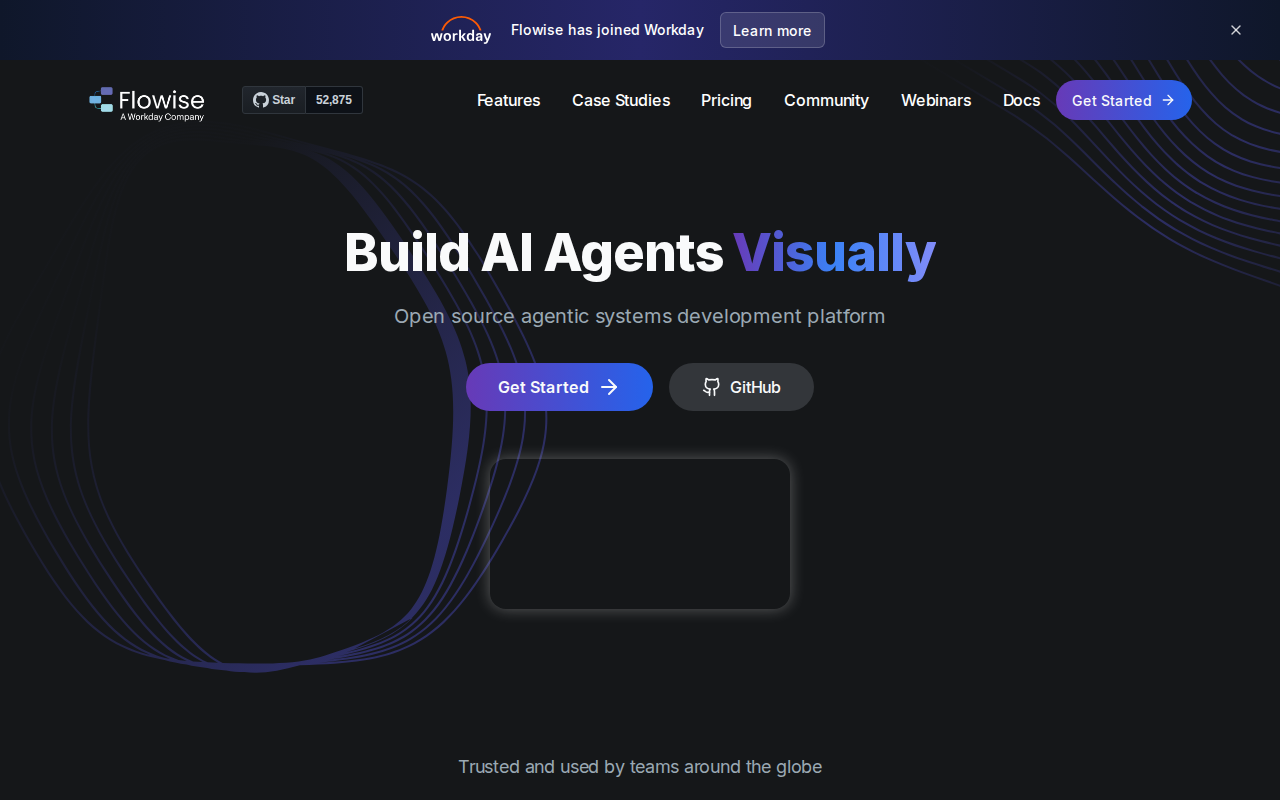
📸 Flowise — Homepage
Here’s the difference: A chatbot might say “I don’t understand” when someone asks “My order hasn’t arrived yet.” An AI agent understands this is about order tracking and can actually look up the order status, provide tracking information, or escalate to a human if needed.
The agent I built can:
– Answer common questions instantly
– Look up order information in real-time
– Escalate complex issues to humans
– Learn from past conversations
– Work 24/7 across multiple channels
Why I Chose Flowise Over Other Tools
I tested Make.com, Zapier, and several other automation tools before settling on Flowise. Here’s what made Flowise the winner:
Visual Flow Builder: Everything is drag-and-drop. You literally connect boxes with lines to create your agent’s logic. No code required.
Built-in AI Models: Flowise comes with ChatGPT, Claude, and other AI models already integrated. You don’t need to figure out API keys or technical setup.
Memory System: The agent remembers previous conversations with each customer. This is huge for support where context matters.
Multiple Integrations: It connects directly to your existing tools like help desk software, databases, and communication channels.
The biggest advantage? I had a working prototype running within my first session. Compare that to Make.com where I spent two days just figuring out how to connect the AI model properly.
Step-by-Step: Building Your Customer Support Agent
Setting Up Your Flowise Environment
First, you need to get Flowise running. I recommend using their cloud version for beginners because it handles all the technical setup.
- Go to Flowise.com and create an account
- Click “New Chatflow” – this is where you’ll build your agent
- You’ll see a blank canvas with a toolbar on the left
The canvas is where you’ll drag and drop components. Think of it like building with LEGO blocks – each block has a specific function, and you connect them to create your agent’s behavior.
Creating the Knowledge Base
Your AI agent needs information to answer questions. This is called a knowledge base – basically a digital brain filled with your company’s information.
- Drag a “Document Loader” node onto your canvas
- Upload your FAQ document, product manuals, or policy pages
- Connect it to a “Text Splitter” node (this breaks your documents into smaller chunks the AI can understand)
- Add a “Vector Store” node (this is where your information gets stored in a way the AI can search through)
Here’s the Python code that runs behind the scenes when you upload documents:
from langchain.document_loaders import TextLoader
from langchain.text_splitter import RecursiveCharacterTextSplitter
from langchain.embeddings import OpenAIEmbeddings
from langchain.vectorstores import Chroma

# Load and split documents
loader = TextLoader('your_faq.txt')
documents = loader.load()
text_splitter = RecursiveCharacterTextSplitter(chunk_size=1000, chunk_overlap=200)
texts = text_splitter.split_documents(documents)

# Create vector store
embeddings = OpenAIEmbeddings()
vectorstore = Chroma.from_documents(texts, embeddings)
I uploaded my entire help center (47 articles) and it processed everything automatically. The agent can now search through all this information instantly when answering questions.
Configuring the AI Brain
- Drag a “Chat Model” node onto your canvas
- Select “ChatGPT” or “Claude” (I use GPT-4 for better understanding)
- In the system prompt box, write instructions for your agent:
“You are a helpful customer support agent for [Your Company]. Always be polite and professional. If you don’t know something, admit it and offer to escalate to a human agent. Keep responses concise but complete.”
- Connect your knowledge base to the chat model
- Add a “Conversational Memory” node so the agent remembers each conversation
Setting Up Response Logic
This is where you define how your agent behaves:
- Add a “Router” node to handle different types of questions
- Create separate paths for:
- General questions (answered from knowledge base)
- Order inquiries (connected to your order system)
- Complaints (escalated to humans)
- Refund requests (follows specific workflow)
I set up five different paths based on my most common support categories. Each path has different logic and response templates.
Integrating with Your Existing Systems
The magic happens when you connect your agent to real business systems:
For Order Lookups:
1. Add an “HTTP Request” node
2. Connect it to your e-commerce platform’s API
3. Configure it to search orders by email or order number
For Ticket Creation:
1. Add another HTTP Request node
2. Connect it to your help desk system (Zendesk, Freshdesk, etc.)
3. Set it to create tickets for complex issues
I connected mine to Shopify for order lookups and Intercom for ticket creation. Now when someone asks about their order, the agent actually checks the real order status and provides accurate information.
Testing and Fine-Tuning Your Agent
Before going live, I spent a week testing every possible scenario:
Test Common Questions: I fed it our top 20 support questions. Success rate was 85% on the first try.
Test Edge Cases: What happens when someone asks something completely unrelated? I made sure it politely redirects back to support topics.
Test Escalation: I verified that complex issues properly create tickets and notify human agents.
The biggest issue I found was the agent being too verbose. Customers want quick answers, not essays. I shortened the system prompt and added “Keep responses under 100 words unless more detail is specifically requested.”
Real Results After 3 Months
The numbers don’t lie. Here’s what happened after deploying my customer support AI agent:
Before AI Agent:
– Average response time: 6 hours
– Daily support emails: 50-60
– Time spent on support: 6 hours/day
– Customer satisfaction: 3.2/5
– Escalation rate: 100% (everything went to humans)
After AI Agent:
– Average response time: 2 minutes
– AI handles: 40-48 emails automatically
– Time spent on support: 1.5 hours/day
– Customer satisfaction: 4.1/5
– Escalation rate: 20% (only complex issues)
The most surprising result? Customer satisfaction actually improved. Turns out people prefer instant, accurate answers over waiting hours for a human response.
I also tracked which questions the agent couldn’t handle. This helped me identify gaps in my knowledge base and improve the training data.
Advanced Features I Added Later
Sentiment Analysis
I added a sentiment detection node that identifies frustrated customers and immediately escalates them to humans. No one wants to argue with a bot when they’re already angry.
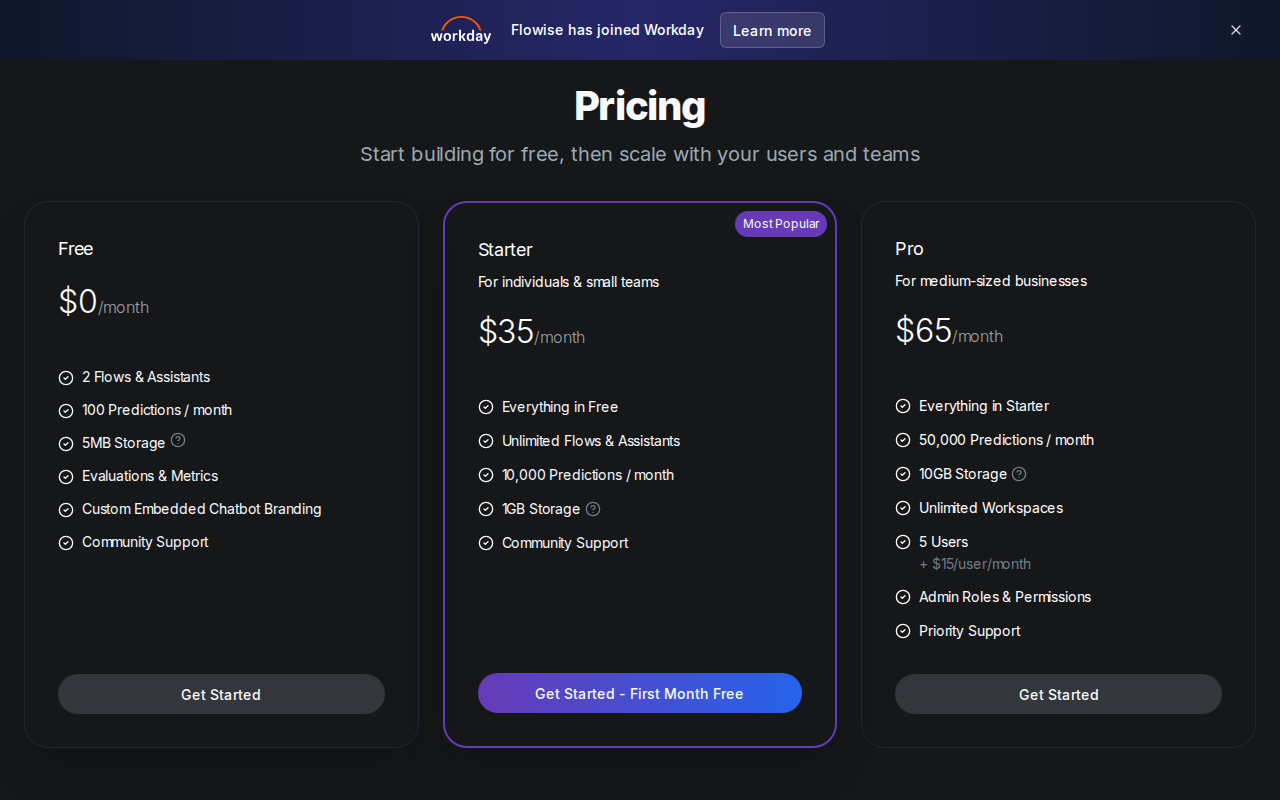
📸 Flowise — Pricing
Multi-Language Support
Flowise has built-in translation nodes. I added support for Spanish and Portuguese, which expanded our customer base significantly.
Analytics Dashboard
I connected the agent to Google Analytics to track:
– Most common questions
– Resolution rates
– Customer satisfaction scores
– Peak support hours
This data helped me optimize both the agent and our overall support strategy.
Common Mistakes and How to Avoid Them
Mistake 1: Too Much Information
I initially uploaded every document I had. The agent got confused and gave overly complex answers. Solution: Start with just your FAQ and core policies. Add more gradually.
Mistake 2: Generic Responses
My first system prompt was too vague. The agent sounded like every other chatbot. Solution: Write specific instructions that match your brand voice and customer expectations.
Mistake 3: No Human Backup
I thought the AI could handle everything. Wrong. Some issues need human empathy and judgment. Solution: Always include clear escalation paths.
Mistake 4: Ignoring Analytics
I built it and forgot about it for two weeks. Big mistake. Solution: Check the performance daily for the first month, then weekly after that.
What This Means for Your Business
Beyond just saving time, this AI agent transformed how I think about customer support:
Scalability: I can now handle 10x more customers without hiring more support staff.
Consistency: Every customer gets the same high-quality information, regardless of which human agent might have been having a bad day.
24/7 Availability: Customers in different time zones get instant help, which has increased our global sales.
Related: Build Your First AI Agent with No Coding Required (Complete Beginner Guide 2026)
Related: Build an AI Lead Generation Agent with Make.com for Free (No Coding Required – Complete 2026 Guide)
Data Collection: The agent logs every interaction, giving me insights into customer needs I never had before.
Most importantly, it freed me up to focus on growing the business instead of answering the same questions repeatedly.
Conclusion
Building a customer support AI agent isn’t just about automation – it’s about creating a better experience for your customers while reclaiming your time for what matters most.
The key is starting simple and iterating. My first version could only answer 10 basic questions. Today it handles complex multi-step issues and even processes refunds automatically.
If you’re spending more than 2 hours daily on repetitive customer support tasks, this solution will pay for itself within the first month. The technology is here, it’s accessible, and it works.
Ready to build your own customer support agent? The tools are all available, and you have the roadmap. Start with your most common support questions and build from there.
Need this set up for your specific business? I help companies build custom customer support agents that integrate with their existing systems. Check out my services at novatool.org/get-an-agent or reach out at novatool.org/contact.
Frequently Asked Questions
How much does it cost to run a customer support AI agent?
Flowise cloud starts at $19/month for small businesses. Add about $20-30/month for AI model usage (ChatGPT API costs). Total monthly cost is typically $50-80, which pays for itself if you’re spending more than 2 hours weekly on repetitive support tasks.
What happens when the AI doesn’t know the answer?
I configured my agent to be honest when it doesn’t know something. It says “I don’t have that information in my knowledge base” and automatically creates a support ticket for a human agent. This happens about 20% of the time and ensures customers always get help.
Can the AI agent integrate with my existing help desk software?
Yes, Flowise connects to most major platforms including Zendesk, Freshdesk, Intercom, and Help Scout through their APIs. I also integrated mine with Shopify, WooCommerce, and Stripe for order lookups and account information.
How long does it take to set up a basic customer support agent?
A basic agent that answers FAQ questions can be built in a single session. Adding integrations with your business systems takes additional time depending on complexity. Plan for ongoing optimization as you learn what works best for your customers.
Will customers know they’re talking to an AI?
I recommend being transparent. My agent introduces itself as “AI Support Assistant” and offers to connect customers with humans for complex issues. Customers actually prefer this honesty and appreciate the instant responses for simple questions.