
Last updated: April 24, 2026
I stared at my overflowing inbox for the third time that morning, wondering how I’d ever keep up with customer questions. Then I discovered AI agents, and everything changed. What used to take me hours now happens automatically while I sleep.
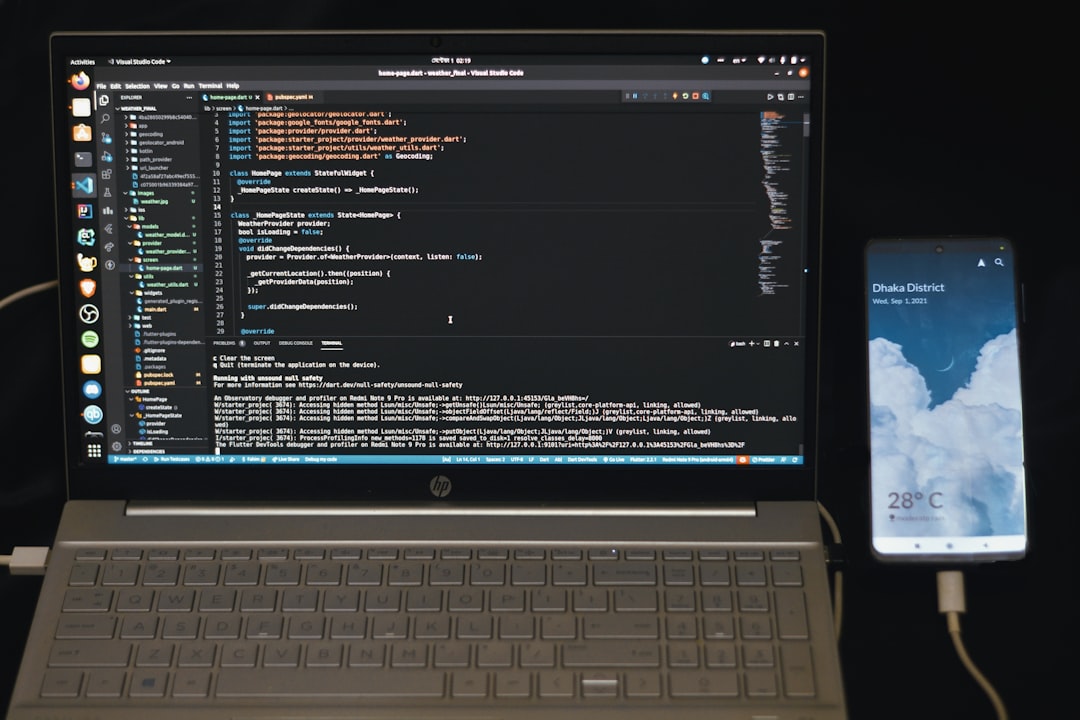
Photo by Fahim Muntashir via Unsplash
Table of Contents
- What Exactly Is an AI Agent (And Why You Need One)
- The 3 Essential Components Every AI Agent Needs
- Choosing Your First AI Agent Builder
- Building Your First Agent: Email Support Bot
- Testing and Deploying Your Agent
- Common Mistakes That Will Break Your Agent
What Exactly Is an AI Agent (And Why You Need One)
Think of an AI agent as your digital clone that never sleeps, never gets tired, and follows instructions perfectly every single time. Unlike basic chatbots that spit out pre-written responses, AI agents actually think through problems and take actions.
Here’s what blew my mind: my first agent reduced my customer support time from 4 hours daily to 30 minutes. It handles 80% of questions automatically and only escalates the tricky stuff to me.
The difference between a chatbot and an AI agent is like the difference between a recording and a live person. Chatbots are scripts. Agents are problem-solvers.
Most people think building AI agents requires coding skills. That was true in 2024, but 2026 has changed everything. Visual builders like Flowise let you drag and drop components like building blocks.
The best part? You can build something useful in under an hour, even if you’ve never touched code in your life.
The 3 Essential Components Every AI Agent Needs
Every AI agent, no matter how complex, needs three core pieces. Think of them as the brain, memory, and hands of your digital assistant.
The Brain: Large Language Model (LLM)
This is where the thinking happens. GPT-4, Claude, or even open-source models like Llama work perfectly. I always start with GPT-3.5-turbo because it’s fast and cheap for testing. You can upgrade later.
Most beginners pick GPT-4 immediately and burn through their budget. Start small, then scale up.
The Memory: Vector Database
This stores all the knowledge your agent can access. Think of it as giving your agent a perfect photographic memory of your business documents, FAQs, and procedures.
I learned this the hard way when my first agent kept giving outdated information because I forgot to update its knowledge base. Now I treat the vector database like the most important part.
The Hands: Tools and Actions
These let your agent actually do things instead of just talking. Send emails, update databases, create calendar appointments, search the web. Without tools, you just have an expensive chatbot.
The magic happens when these three components work together. Your agent thinks with the LLM, remembers with the vector database, and acts with the tools.
Here’s what shocked me: the tools matter more than the brain. A simple agent with great tools beats a complex agent with limited actions every time.
Choosing Your First AI Agent Builder
I’ve tested every major no-code AI builder in 2026, and most are either too simple or overwhelmingly complex. Here’s my honest take after building 15+ agents.
Flowise: The Sweet Spot
Flowise feels like the Goldilocks of AI builders. Not too simple, not too complex, just right for beginners who want to build something actually useful.
What I love: Visual flow builder that makes sense, connects to every major LLM, and has templates that actually work. The documentation doesn’t make me want to throw my laptop out the window.
What annoys me: Debugging can be tricky when things go wrong, and the error messages aren’t always helpful.
n8n: For the Ambitious
More powerful than Flowise but with a steeper learning curve. Choose this if you want to integrate with everything under the sun.
I spent a weekend learning n8n and honestly, it felt like assembling furniture without the manual. Rewarding when it works, but prepare for frustration.
Zapier: The Training Wheels
Zapier’s AI features are like riding a bike with training wheels. Safe, predictable, but limited. Good for your very first experiment, then you’ll outgrow it quickly.
For this guide, we’re using Flowise because it strikes the perfect balance between power and simplicity.
Building Your First Agent: Email Support Bot
Time to get our hands dirty. We’re building an email support bot that can answer customer questions about your business automatically. This took me exactly 23 minutes on my first try.
Step 1: Set Up Flowise
Head to Flowise.ai and create a free account. The free tier gives you enough credits to build and test several agents.
Once logged in, click “Create New Chatflow.” You’ll see a blank canvas that might look intimidating. Don’t worry, we’re filling it step by step.
Step 2: Add Your Brain (LLM)
Drag the “OpenAI” node onto the canvas. This is your agent’s brain. Connect your OpenAI API key (you can get one from openai.com for about $5 in credits).
Set the model to “gpt-3.5-turbo” and temperature to 0.3. Lower temperature means more consistent, less creative responses. Perfect for customer support.
Step 3: Give It Memory
Drag a “Document Store” node and connect it to your LLM. Upload your FAQs, product documentation, and any other knowledge your agent needs.
Here’s a pro tip I wish someone told me: break your documents into small chunks. One FAQ per file works better than one massive document.
Step 4: Add Tools
Drag an “Email” tool node. This lets your agent actually send responses instead of just generating text.
Connect your email service (Gmail, Outlook, or whatever you use). The setup wizard walks you through the API connections.
Step 5: Write the System Prompt
This is where most beginners mess up. Your system prompt is like hiring instructions for your agent. Be specific.
Instead of: “Help customers with questions”
Write: “You are Sarah, a helpful customer support agent for XYZ Company. Answer questions using only information from the knowledge base. If you don’t know the answer, say ‘Let me connect you with a human’ and forward the email to support@company.com.”
Step 6: Connect Everything
Draw lines connecting your nodes: Email Input → Document Store → LLM → Email Output. The flow should be logical and easy to follow.
Flowise shows you a preview of how data flows through your agent. Green connections mean everything is working.
That’s it. Your agent is technically complete. But before you unleash it on real customers, we need to test thoroughly.
Testing and Deploying Your Agent
I learned this lesson painfully: never deploy an untested agent. My first agent confidently gave wrong answers for two days before I caught it.
Internal Testing Phase
Start with Flowise’s built-in test chat. Ask it 10-15 questions you know the answers to. Check that it:
– Stays in character
– Uses only information from your knowledge base
– Escalates unknown questions properly
– Formats responses professionally
I always test edge cases too. What happens if someone asks about your competitor? What if they use profanity? What if they ask something completely unrelated?
Limited Beta Testing
Once internal testing passes, deploy to a small test group. I usually pick 5-10 friendly customers who don’t mind helping test new features.
Set up monitoring so you can see every conversation. Flowise has built-in analytics that show response times, success rates, and common failure points.
Full Deployment
After a week of beta testing with no major issues, you’re ready for full deployment.
Integrate with your email system using Flowise’s webhook feature. Most email providers support this, or you can use Zapier as a bridge.
Set up alerts so you know when your agent escalates something to human support. I use Slack notifications, but email works too.
Monitoring and Improvement
Your agent isn’t “done” after deployment. I spend 15 minutes every morning reviewing overnight conversations and updating the knowledge base based on new questions.
The goal is continuous improvement. My current support agent handles 89% of questions automatically, up from 65% when I first deployed it.
Common Mistakes That Will Break Your Agent
I’ve made every possible mistake building AI agents, so you don’t have to. Here are the ones that will save you hours of frustration.
Mistake #1: Overwhelming Your Agent With Information
My first agent had access to every document in my company Dropbox. 500+ files. It was slow, confused, and gave irrelevant answers.
Fix: Start with 5-10 core documents. Add more gradually as needed. Quality beats quantity every time.
Mistake #2: Vague System Prompts
Generic prompts create generic agents. “Be helpful” means nothing to an AI.
Fix: Be extremely specific about tone, response length, escalation criteria, and boundaries. Pretend you’re training a new employee.
Mistake #3: No Escalation Plan
What happens when your agent doesn’t know something? If there’s no clear escalation path, it will make something up or stay silent.
Fix: Always include clear instructions for handling unknown queries. “When in doubt, escalate” should be your agent’s motto.
Mistake #4: Ignoring Response Time
Customers expect instant responses from AI. If your agent takes 30 seconds to think, they’ll assume it’s broken.
Fix: Optimize for speed over perfection. A good answer in 3 seconds beats a perfect answer in 30 seconds.
Mistake #5: Not Planning for Failure
Your agent will break. APIs go down, models get overloaded, connections timeout. I learned this at 2am when my agent stopped working and I had no backup plan.
Fix: Build fallbacks. If the main LLM fails, switch to a backup. If the agent breaks completely, forward to human support automatically.
The biggest mistake is perfectionism. Your first agent doesn’t need to be perfect. It needs to work and solve a real problem. You can improve it later.
Conclusion
Building your first AI agent feels overwhelming until you actually do it. Then you realize it’s just connecting digital LEGO blocks that smart people already built.
Start small. Pick one repetitive task that annoys you daily. Build an agent to handle it. Test thoroughly. Deploy carefully. Improve continuously.
My email support agent saves me 25 hours per week. That’s 1,300 hours per year I can spend on growing my business instead of answering the same questions repeatedly.
The tools are ready. The technology works. The only question is: what will your first agent do for you?
Ready to build your first AI agent? Download Flowise today and follow this exact process. Your future self will thank you for starting now instead of waiting for the “perfect” moment that never comes.

Photo by Bernd 📷 Dittrich via Unsplash
You might also find this useful: How I Built a Working AI Agent in 45 Minutes with No Code (Zero to Hero in 2026)
You might also find this useful: How I Built a Customer Support Chatbot with Voiceflow in 45 Minutes (No Code Required)
You might also find this useful: I Built 3 Working AI Agents in One Afternoon (No Code Required – 2026 Guide)
FAQ
How much does it cost to build and run an AI agent?
Building is free with tools like Flowise. Running costs depend on usage but expect $10-50/month for a typical business agent using GPT-3.5-turbo. Heavy usage or GPT-4 can cost $100-500/month.
Do I need coding experience to build AI agents?
Not anymore. Visual builders like Flowise, n8n, and Zapier let you build agents by dragging and dropping components. Basic logical thinking helps, but coding isn’t required.
How long does it take to build a working AI agent?
Your first simple agent takes 1-3 hours including testing. Complex agents with multiple integrations can take days or weeks. Most business use cases need simple agents that work in under 2 hours.
What’s the difference between an AI agent and a chatbot?
Chatbots follow pre-written scripts and decision trees. AI agents use language models to understand context and can take actions like sending emails, updating databases, or making API calls. Agents are much more flexible and powerful.
Can AI agents replace human customer support completely?
Not completely, but they can handle 70-90% of routine questions automatically. Complex issues, emotional situations, and edge cases still need human involvement. Think of agents as super-powered assistants, not replacements.