
Last updated: April 24, 2026
I spent three weeks last month trying to build my first AI agent, and let me tell you, the tutorials online made it sound way easier than it actually is. Most guides skip the messy parts where you’re staring at error messages at midnight, wondering why your agent keeps responding with “I don’t understand” to perfectly normal questions.
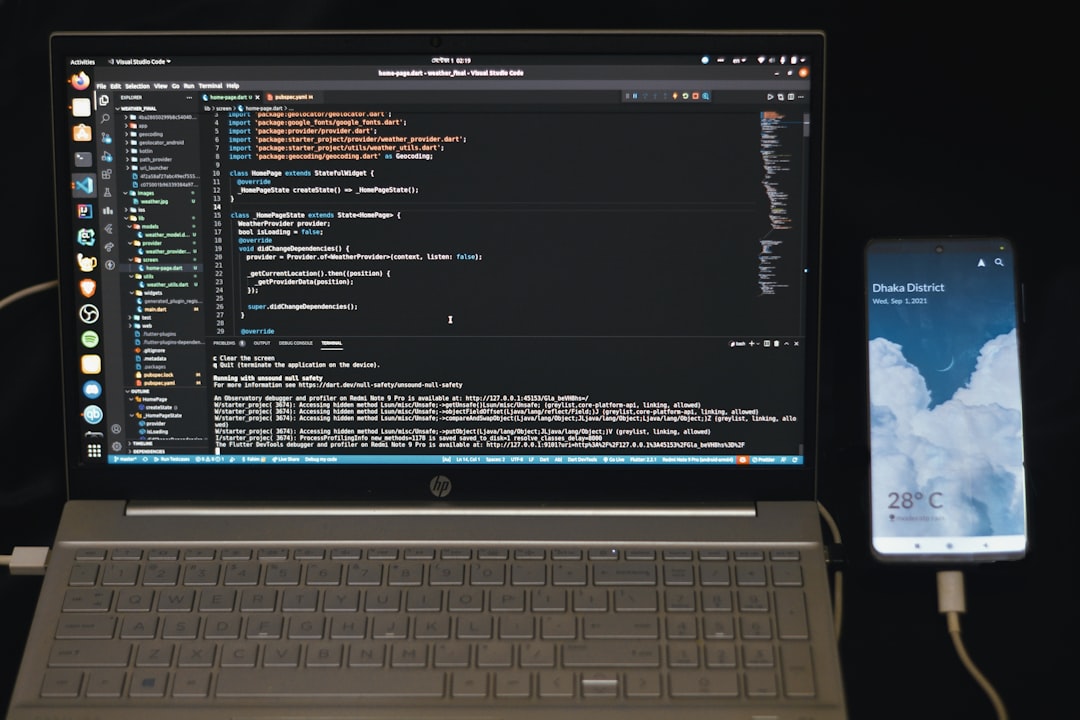
Photo by Fahim Muntashir via Unsplash
After building five different agents (and breaking four of them), I finally figured out the process that actually works. Here’s the no-BS guide I wish I had when I started.
Table of Contents
- Understanding What AI Agents Actually Do
- Choosing Your AI Agent Framework
- Setting Up Your Development Environment
- Building Your First Simple Agent
- Adding Memory and Context
- Testing and Debugging Your Agent
- Deploying Your AI Agent
Understanding What AI Agents Actually Do
Before we start coding, let’s clear up the confusion. An AI agent isn’t just a chatbot with a fancy name. I made this mistake initially and built what was basically a glorified FAQ bot.
Real AI agents have three key abilities:
1. Perception: They can understand and interpret input from their environment
2. Decision-making: They can choose actions based on their goals and current situation
3. Action: They can actually do something in response, not just talk about it
Think of it like this: a chatbot tells you the weather, but an AI agent can check the weather, decide you need an umbrella, and actually add “buy umbrella” to your shopping list.
The agent I’m going to show you how to build can research topics, remember previous conversations, and take actions like sending emails or updating spreadsheets. It’s not going to replace your job, but it might actually save you a few hours each week.
Choosing Your AI Agent Framework
Here’s where most tutorials lose me. They assume you already know which framework to use, but there are literally dozens of options, each with different strengths and very different learning curves.
After testing six frameworks, here are the ones that actually work for beginners:
LangChain remains the most popular choice in 2026, and for good reason. It has the most documentation, the largest community, and works with pretty much every AI model you can think of. The downside? It’s complex and sometimes feels over-engineered for simple tasks.
AutoGen from Microsoft surprised me. It’s specifically designed for building multi-agent systems, which sounds intimidating but is actually perfect if you want agents that can work together. I built a research team of three agents using AutoGen, and it was surprisingly straightforward.
CrewAI is the newcomer that’s been gaining traction. It focuses on making agents that collaborate naturally, like a real team. The syntax feels more intuitive than LangChain, though the documentation is still catching up.
For this tutorial, I’m using LangChain because it has the best error handling and debugging tools. Trust me, you’ll need them.
Setting Up Your Development Environment
This is where things get real. I’m assuming you have Python installed, but if you’re on Windows like I was, prepare for some frustration with package management.
First, create a new directory for your project:
mkdir my-ai-agent
cd my-ai-agent
Set up a virtual environment (seriously, don’t skip this step):
python -m venv agent-env
source agent-env/bin/activate  # On Windows: agent-env\Scripts\activate
Now install the packages you’ll need:
pip install langchain langchain-openai python-dotenv streamlit
Create a .env file for your API keys:
OPENAI_API_KEY=your_key_here
Here’s something most tutorials don’t mention: you don’t need GPT-4 for this. GPT-3.5-turbo works fine for learning and costs about 90% less. I burned through $50 in API costs testing with GPT-4 before realizing GPT-3.5 gave me nearly identical results for basic agent tasks.
Building Your First Simple Agent
Let’s start with something that actually works instead of a “hello world” example that teaches you nothing useful. We’re building a research assistant that can answer questions and remember what you’ve asked before.
Create a file called simple_agent.py:
import os
from dotenv import load_dotenv
from langchain.agents import create_openai_functions_agent, AgentExecutor
from langchain.tools import DuckDuckGoSearchRun
from langchain_openai import ChatOpenAI
from langchain.prompts import ChatPromptTemplate, MessagesPlaceholder
from langchain.memory import ConversationBufferMemory

load_dotenv()

class SimpleResearchAgent:
    def __init__(self):
        self.llm = ChatOpenAI(temperature=0.1, model="gpt-3.5-turbo")
        self.tools = [DuckDuckGoSearchRun()]
        self.memory = ConversationBufferMemory(
            memory_key="chat_history",
            return_messages=True
        )

        prompt = ChatPromptTemplate.from_messages([
            ("system", "You are a helpful research assistant. Use the search tool to find current information when needed."),
            MessagesPlaceholder(variable_name="chat_history"),
            ("user", "{input}"),
            MessagesPlaceholder(variable_name="agent_scratchpad")
        ])

        agent = create_openai_functions_agent(self.llm, self.tools, prompt)
        self.executor = AgentExecutor(
            agent=agent,
            tools=self.tools,
            memory=self.memory,
            verbose=True
        )

    def chat(self, message):
        return self.executor.invoke({"input": message})

if __name__ == "__main__":
    agent = SimpleResearchAgent()

    while True:
        user_input = input("You: ")
        if user_input.lower() in ['quit', 'exit', 'bye']:
            break

        response = agent.chat(user_input)
        print(f"Agent: {response['output']}")
This looks simple, but there’s a lot happening here. The agent can search the internet, remember your conversation, and reason about what information it needs to answer your questions.
Run it with python simple_agent.py and try asking it something like “What are the latest developments in AI agents?” then follow up with “What about the privacy concerns?”
You’ll notice it remembers the context from your first question. That’s the memory component working.
Adding Memory and Context
The basic memory I showed you works, but it has a problem. After about 20 exchanges, you’ll start hitting token limits and the agent will forget the beginning of your conversation.
Here’s a smarter approach using a summary memory:
from langchain.memory import ConversationSummaryBufferMemory

class AdvancedResearchAgent:
    def __init__(self):
        self.llm = ChatOpenAI(temperature=0.1, model="gpt-3.5-turbo")
        self.tools = [DuckDuckGoSearchRun()]

        # This memory summarizes old conversations but keeps recent ones intact
        self.memory = ConversationSummaryBufferMemory(
            llm=self.llm,
            memory_key="chat_history",
            return_messages=True,
            max_token_limit=1000
        )

        # Rest of the setup is the same...
This memory type is brilliant. It keeps your recent conversation in full detail but summarizes older parts. So your agent remembers that you were researching AI privacy concerns yesterday, but doesn’t waste tokens on the exact words you used.
I also discovered you can add persistent memory using a vector database. This lets your agent remember things between sessions:
from langchain.vectorstores import Chroma
from langchain.embeddings import OpenAIEmbeddings

class PersistentAgent:
    def __init__(self):
        self.embeddings = OpenAIEmbeddings()
        self.vectorstore = Chroma(
            persist_directory="./agent_memory",
            embedding_function=self.embeddings
        )
        # Add this as a retrieval tool to your agent
Now your agent can remember insights from weeks ago. I use this for my research projects, and it’s genuinely useful.
Testing and Debugging Your Agent
This is the part that made me want to throw my laptop out the window. AI agents fail in creative ways, and the error messages are often useless.
Here are the debugging strategies that actually work:
Enable verbose mode: Set verbose=True in your AgentExecutor. Yes, it’s noisy, but you’ll see exactly what your agent is thinking.
Test incrementally: Don’t build a complex agent all at once. Start with one tool, make sure it works, then add the next.
Log everything: Add logging to see what’s happening:
import logging
logging.basicConfig(level=logging.DEBUG)
Common failure points I encountered:
– The agent gets stuck in loops when it can’t find information
– It hallucinates tool names that don’t exist
– It refuses to use tools because the prompt isn’t clear enough
The solution is usually in your system prompt. Be very specific about when and how to use tools.
Create test scenarios: I built a test suite that runs common questions and checks if the agent gives reasonable answers:
test_questions = [
    "What's the weather in New York?",
    "Remember that I like Italian food",
    "What restaurants would you recommend?"
]

for question in test_questions:
    response = agent.chat(question)
    print(f"Q: {question}")
    print(f"A: {response['output']}")
    print("---")
This saved me hours of manual testing.
Deploying Your AI Agent
Once your agent works locally, you’ll want to share it or use it in production. I tried several deployment options, and here’s what actually works well:
Streamlit for quick demos: Perfect if you want a web interface without learning web development:
import streamlit as st

st.title("My Research Assistant")

if "agent" not in st.session_state:
    st.session_state.agent = SimpleResearchAgent()

user_input = st.text_input("Ask me anything:")

if user_input:
    response = st.session_state.agent.chat(user_input)
    st.write(response['output'])
Run with streamlit run your_app.py and you get a clean web interface.
FastAPI for production: If you need a real API, FastAPI is surprisingly easy:
from fastapi import FastAPI
from pydantic import BaseModel

app = FastAPI()
agent = SimpleResearchAgent()

class Query(BaseModel):
    message: str

@app.post("/chat")
async def chat(query: Query):
    response = agent.chat(query.message)
    return {"response": response['output']}
For hosting, I’ve had good luck with Railway and Render. Both have generous free tiers and handle Python dependencies well.
The tricky part is managing costs. AI agents can burn through API credits fast if users ask complex questions. I add rate limiting and usage tracking to prevent surprises:
from functools import wraps
import time

def rate_limit(calls_per_minute=10):
    def decorator(func):
        func.last_called = 0
        func.call_count = 0

        @wraps(func)
        def wrapper(*args, **kwargs):
            now = time.time()
            if now - func.last_called > 60:
                func.call_count = 0
                func.last_called = now

            if func.call_count >= calls_per_minute:
                raise Exception("Rate limit exceeded")

            func.call_count += 1
            return func(*args, **kwargs)
        return wrapper
    return decorator
You might also find this useful: 12 Business Automation AI Tools That Actually Work in 2026 (I Tested Them All)
You might also find this useful: n8n AI Workflow Automation Guide: Build Smart Workflows in 2026
You might also find this useful: Best AI Tools for Business in 2026: 17 Tools That Actually Increase Productivity
Conclusion
Building AI agents is easier than it was two years ago, but it’s still not trivial. The frameworks are getting better, but you’ll still spend time debugging weird behaviors and optimizing prompts.
The key is starting simple and building up. Don’t try to create a superintelligent assistant on day one. Build something that solves one specific problem well, then expand from there.
My research agent has saved me hours of work researching topics for articles like this one. It’s not perfect, but it’s genuinely useful, which is more than I can say for most AI projects I’ve seen.
Ready to build your own AI agent? Start with the simple example above, get it working, then customize it for your specific needs. The code is all there, the tools are available, and in 2026, the barriers are lower than ever.

Photo by Bernd 📷 Dittrich via Unsplash
Frequently Asked Questions
How much does it cost to run an AI agent?
For basic usage with GPT-3.5-turbo, expect to spend $10-30 per month. The cost depends on how much your agent searches the web and how long your conversations are. I track my usage with OpenAI’s usage dashboard to avoid surprises.
Can I build an AI agent without coding experience?
Honestly, probably not yet. While tools like n8n and Zapier are adding AI features, building a truly capable agent still requires some Python knowledge. However, if you can copy and modify the code examples I’ve shown, you can definitely get started.
What’s the difference between an AI agent and a chatbot?
AI agents can take actions in the real world, while chatbots just respond to text. My agent can search the web, remember conversations, and potentially send emails or update databases. A chatbot would just tell you about these things.
Which AI model should I use for my agent?
For learning and most practical applications, GPT-3.5-turbo is perfect and much cheaper than GPT-4. I only use GPT-4 when I need really sophisticated reasoning or when working with complex documents.
How do I prevent my agent from giving wrong information?
This is the hardest problem in AI right now. I use fact-checking prompts, require sources for claims, and always include disclaimers about verifying important information. It’s not perfect, but it helps reduce hallucinations significantly.